This Israeli regime has to be stopped!
D'you Reckon That When Trump Dies.......
Sign up to Gransnet Daily
Our free daily newsletter full of hot threads, competitions and discounts
Subscribe
The Paint program is bundled with the Windows operating system. Thus although Paint is a fairly basic computer art program, it is widely accessible without neding to buy any additional software package.
 https://signal-corridor.live/uploads/talk/202206/medium-95600-7808d4fc-3701-4d8a-a3ff-289ef31e1785.jpeg%3C/span%3E
 https://signal-corridor.live/uploads/talk/202206/medium-35712-fb08ced0-f6fc-444b-9540-9dcfbb5d29d5.jpeg%3C/span%3E
 https://signal-corridor.live/uploads/talk/202206/medium-823338-81551089-1245-4679-94ba-5dd374869312.jpeg%3C/span%3E
.
Stephanie48
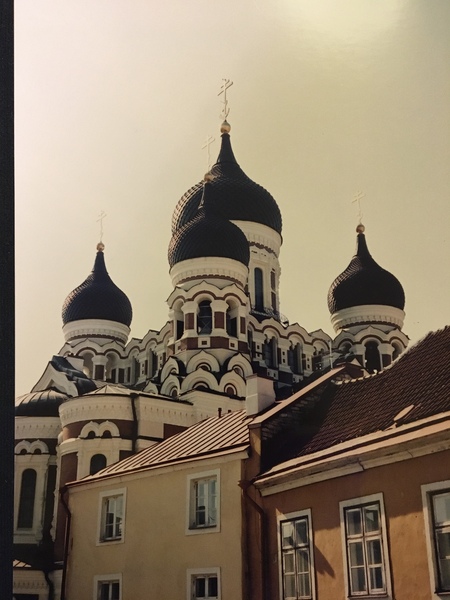
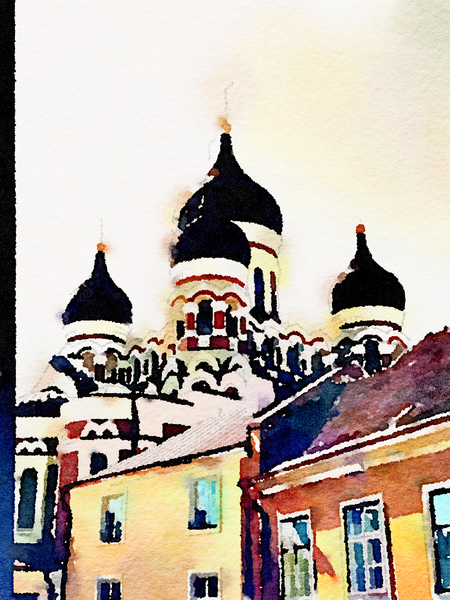
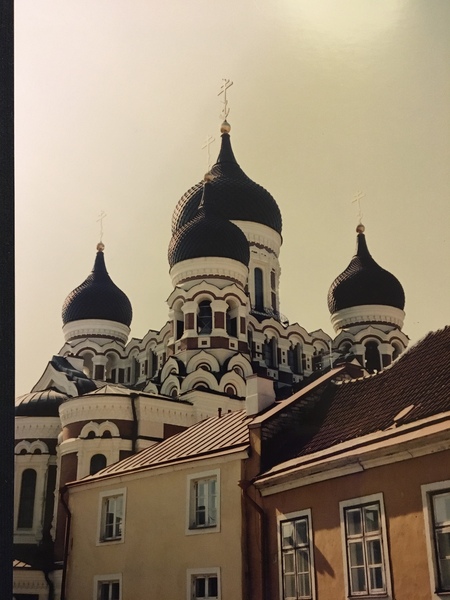
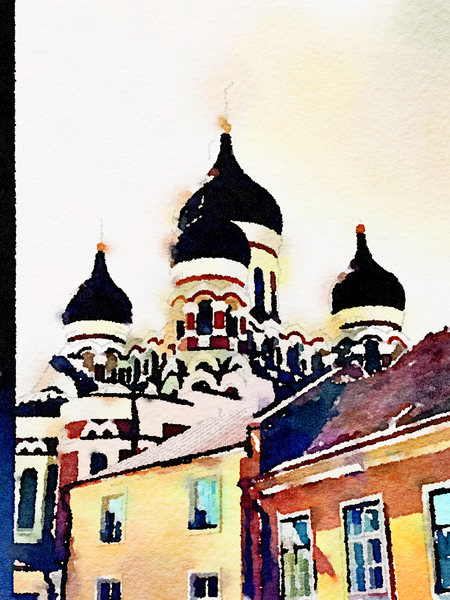
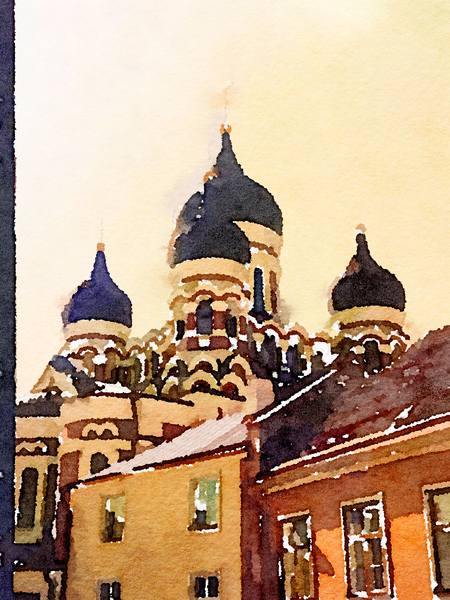
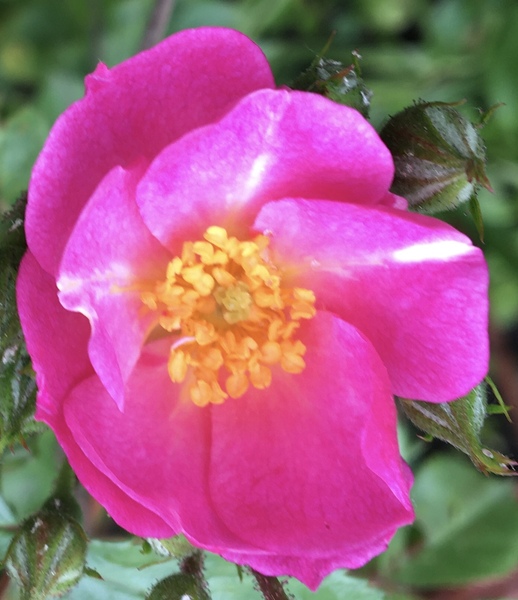
Photo and Waterlogue pictures
Wow!
 https://signal-corridor.live/uploads/talk/202206/medium-855075-9108740c-880e-4f3f-a33b-ed06cfc07446.jpeg%3C/span%3E
 https://signal-corridor.live/uploads/talk/202206/medium-219669-7d01d1e7-3318-49e1-a871-056efe73d8af.jpeg%3C/span%3E
 https://signal-corridor.live/uploads/talk/202206/medium-929193-afd28977-6e26-4738-97eb-fec5cc6b499b.jpeg%3C/span%3E
Photo and Waterlogue pictures
FannyCornforth
Molly we always used something called 2 Paint , or 2 Paint a Picture (I’m going back a bit)
Is it the same?
No. The 2 programs e.g. 2 paint, 2 type, etc had to bought and installed either on a network or individual computers with a licence. I haven’t see them for ages.
MS Paint comes with Microsoft and is free. It now has a 3D additional option. It’s simple to use and the children really like the paintbrush options, especially for snow. They also like the effects they can make with the watercolour ‘brush’.
You can also get Paint.net-very similar and I find it better for teaching children how to doctor pictures. With the older children, Photoshop is even better for that purpose.
Go for it whilst you are recuperating. No mess, quickly saved or disposed of and no paint drying.
FannyCornforth
Hello SD ?
I have a laptop which I’m pretty certain has Windows.
I haven’t used it for ages (it was mainly for school stuff) but I will crack it open tomorrow and have a look at Paint.
It will give me something of a little project while I recuperate!
Excellent. Thank you.
Molly we always used something called 2 Paint , or 2 Paint a Picture (I’m going back a bit)
Is it the same?
Hello SD ?
I have a laptop which I’m pretty certain has Windows.
I haven’t used it for ages (it was mainly for school stuff) but I will crack it open tomorrow and have a look at Paint.
It will give me something of a little project while I recuperate!
Alternatively one of Mollygo's Year 1's can put you right 
Hello Fanny
Have you got a PC running Windows?
If you post a picture that you do that might break the ice and others post too.
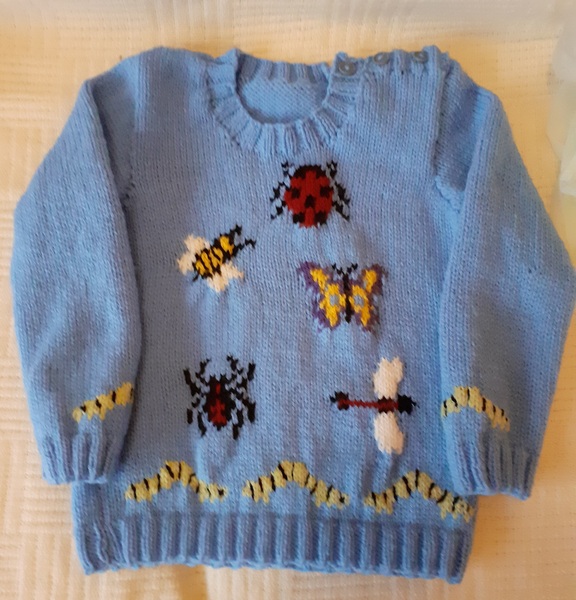
Farmor, I’ve said it before, and I will say it again - those jumpers are absolutely adorable. ?
If anyone reading this feels that he or she would like to have a go but feels it is like a cliff edge before them up which they can never climb, the way up is to use the gentle windy path that is off to one side.
The first step is to try, using the information in the first two posts of this thread, to produce an image with just a line drawn in it.
After that, it is just trying other things bit by bit.
Sort of learning to drive a car. The first time, actually sitting in the driving seat, clutching the wheel tightly, going 50 yards at ten miles per hour. But once one can do that, the rest is just bit by bit, and an exponential effect, once one can drive a mile, then driving ten miles is no great step to achieve, then driving fifty miles is no greater step to achieve.
But looking at the car before even getting into the driving seat and considering driving for fifty miles at the time seems an impossible thing to do.
Everybody who does art today had to learn at some time.
So, the big step is actually starting up Paint and drawing that first line.
If you try and get stuck, please post about that.
I will do my best to try to help you move forward and achieve.
That’s good enough to go on the fridge Mollygo !

NittWitt
I'm very impressed with your art, StarDreamer, although I'm not the least bit artistic and certainly couldn't grapple with the Paint program.
Truly you wouldn’t find it hard. This is a card made in 4 lessons by a child from one of my Y 1 classes using Paint. They love it, and they love to experiment with the tools.
A photo….
Stephanie48
Can’t get the photos to upload
Have you put some text too?
I found that an image on its own won't post. It needs some text too.
Stephanie48
I often use the Waterlogue programme to make cards. You upload one of your photos and then it can be transformed into a variety of ‘painting’ effects
Thank you.
I had not known of that program. I found this video.
www.youtube.com/watch?v=lIFv1YZn9sQ
4 minutes 31 seconds
Can’t get the photos to upload
.
I often use the Waterlogue programme to make cards. You upload one of your photos and then it can be transformed into a variety of ‘painting’ effects
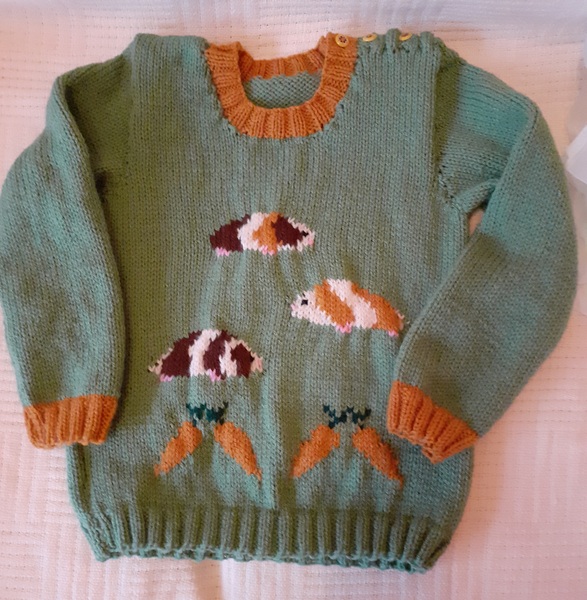
I used the Paint programme to edit images to use in these jumpers for grandchildren. I did have to transfer to squared paper before using. When you zoom in on images and it gets to pixellated stage, you can edit pixel by pixel.
aggie
It’s 12 inches by 10 inches , it’s snowdrops under local trees , in Northern Ireland, not redwoods
Thank you.
I wondered about how the picture would be framed.
I found this web page, which has a lot of information about framing.
www.best4frames.co.uk/blogs/picture-frame-sizes
I used Paint when I was teaching - easy to use to make or edit diagrams. I used it more recently when I wanted to edit pixelated diagrams to use in knitting patterns.
There used to be similar programmes on the old Macs - drawing and painting. Unfortunately they tend to “improve” these programmes and make them so complicated that they’re difficult to use.
Thank you.
It’s 12 inches by 10 inches , it’s snowdrops under local trees , in Northern Ireland, not redwoods
Registering is free, easy, and means you can join the discussion, watch threads and lots more.
Register now »Already registered? Log in with:
Gransnet »Get our top conversations, latest advice, fantastic competitions, and more, straight to your inbox. Sign up to our daily newsletter here.